Key takeaways
- Codes vary by brand, and often by model, so the same code can mean different things on two treadmills. Check your manual for the exact definition.
- Most codes fall into a few types: safety key, speed sensor, motor overload, incline, communication, and power or overheating faults.
- Safe first steps: photograph the code, check the safety key, plug directly into a grounded wall outlet, and power-cycle once.
- If the code returns after one full power cycle, stop. Repeated resets on a motor or overload fault can damage the motor controller.
- Give a technician the code, make, model, serial number and a short video. It speeds up diagnosis and parts.
An error code feels like the treadmill is speaking a private language, and in a way it is: there’s no industry standard. One brand uses letters and numbers, another uses short abbreviations, and two models from the same company may not match. The good news is that behind the codes, treadmills fail in the same handful of ways. Once you know the type of fault, you know what’s safe to check and when to stop.
Where to find what your code means
Start with the troubleshooting section of your owner’s manual. If you don’t have it, search the manufacturer’s support site using the model number from the label near the motor hood or at the front of the frame. Two things to know:
- Codes vary by brand. Check your manual. A generic online code list for “treadmills” can send you after the wrong part.
- Some messages aren’t faults. Many consoles show a maintenance reminder, such as a prompt to lubricate the belt, after a set number of hours or miles. The manual explains how to clear it.
Many treadmills also keep an error log in a hidden service menu meant for technicians. Reading it is harmless, but changing settings there can create new problems, so look and don’t touch.
The main types of treadmill error codes
Safety key or emergency stop
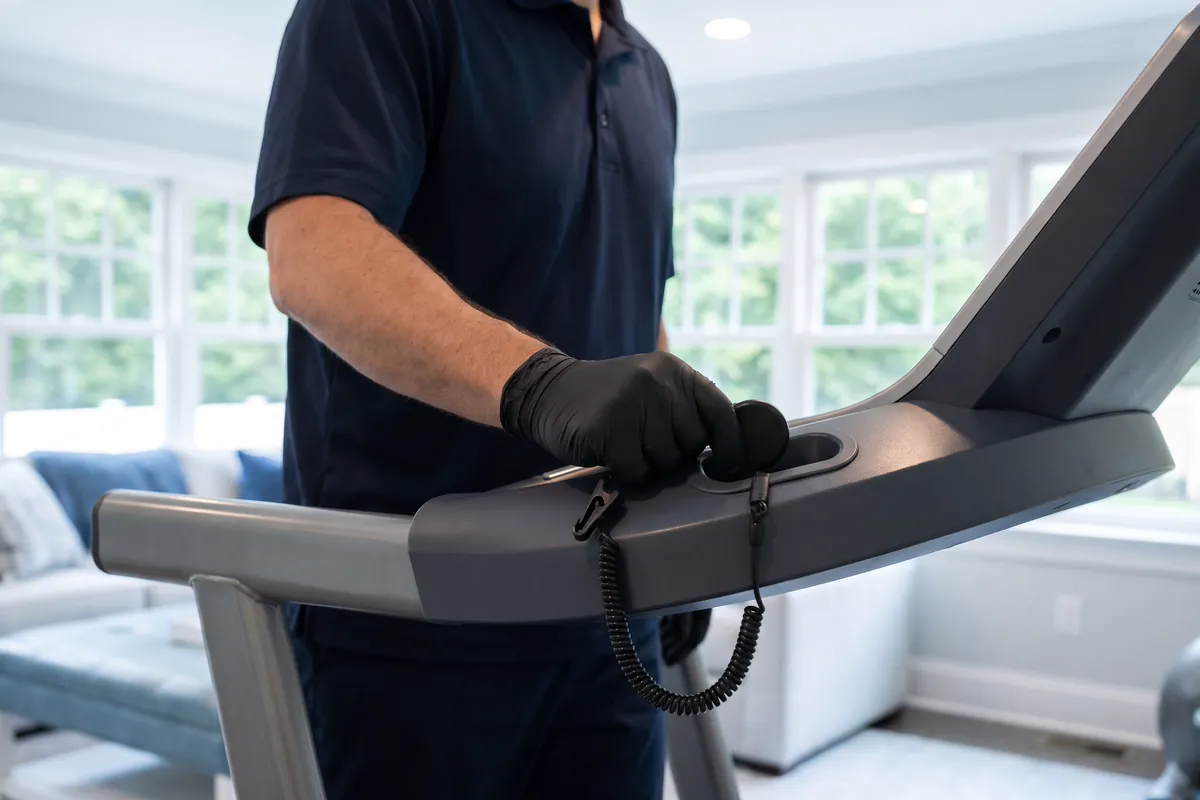
The safety key is a magnetic clip that has to sit on the console for the belt to run. If it’s missing, crooked or has lost its magnet, the console shows a safety message, stays blank or refuses to start. Reseat it firmly and check that the emergency stop button isn’t pressed in. If a properly seated key still triggers the message, the switch behind it or its wiring needs attention.
Speed sensor or “no speed signal”
The belt starts, then stops after a few seconds with a code, or the speed reads zero while the belt moves. A small sensor near the front roller counts how fast it turns, and when the console gets no signal it shuts down for safety. Causes include a dusty or misaligned sensor, a loose connector, a broken drive belt, or a motor that isn’t turning at all.
Drive motor overload or overcurrent
The motor controller (the board that powers the motor) has measured too much current. Common reasons are a dry deck or worn belt creating drag, an overtightened belt, worn motor brushes, a failing motor, or low voltage from an extension cord. This is the code not to ignore: running through it repeatedly can burn out the motor or the controller.
Incline or elevation faults
The incline motor didn’t reach the position it was told to, or the treadmill lost track of where the incline is. Check that nothing is under the frame (toys, a power cord, a towel), then run the incline calibration routine if your manual has one. A code that persists usually means the incline motor, its sensor or its gearing.
Communication errors
The console and the lower control board have stopped talking. The data cable runs up through the upright, where it can be pinched or loosened by folding, moving or bumping the treadmill. These codes often appear after a move or a power surge, and they need a technician to trace.
Power, voltage and overheating
Low or unstable voltage, a tripped circuit, or a controller that’s too hot. Extension cords, power strips and circuits shared with an air conditioner or space heater are frequent culprits, as are dust-clogged vents.
Symptom quick reference
| What you see | Likely fault type | Safe check |
|---|---|---|
| Won’t start, safety message | Safety key or stop | Reseat key, release stop button |
| Belt starts, stops in seconds | Speed sensor or drive | Power-cycle once |
| Stops under load, hot hood | Motor overload | Check deck lubrication and tension |
| Incline stuck or wrong | Incline fault | Clear under frame, run calibration |
| Code after a move or surge | Communication | Power-cycle once, then call |
| Random resets, breaker trips | Power or overheating | Use a grounded wall outlet, clear vents |
What to do when a code appears
- Stop safely and step off. Photograph the code and note what you were doing: speed, incline, how long into the workout.
- Check the safety key and emergency stop.
- Check the power. Plug directly into a properly grounded wall outlet, not an extension cord or power strip, unless your manual calls for a specific surge protector. Check the breaker and any GFCI outlet.
- Power-cycle once. Switch off, unplug from the wall for about a minute, then restart.
- Fix the obvious cause for that fault type, such as a dry deck, something under the incline frame or blocked vents.
- If the code comes back, stop using the treadmill and arrange a diagnosis.
What not to do
- Don’t keep resetting. Clearing a motor or overload code over and over can turn a simple fix into a new controller.
- Never bypass the safety key with a loose magnet or tape. It’s there to stop the belt if you fall.
- Don’t run through a burning smell, smoke, sparks or a humming motor that won’t turn.
- Don’t open the motor hood while it’s plugged in. Even unplugged, controller boards can hold a charge for a few minutes, so leave the boards alone.
Code won’t clear? Send us a photo of the code with the make and model. A certified technician can diagnose sensors, motors, controllers and wiring on-site and explain the fix in plain language. See what’s covered under treadmill repair; you’ll get a written quote before any work starts.
When to call a technician
Call when the code returns after one full power cycle, and right away for motor, overload, overheating or communication codes, or any burning smell. The same goes for a console that stays dark with the key seated, and for commercial or building treadmills that need to come out of service until they’re safe. To speed things up, have ready:
- A photo of the code and the make, model and serial number
- When it happens (at start-up, at speed, on incline, after a few minutes)
- A short video if the belt or incline behaves oddly
- Recent events: a move, a power outage, new lubrication
Many codes trace back to belt drag, so it’s worth reading why treadmill belts slip and keeping up with belt lubrication once it’s fixed.